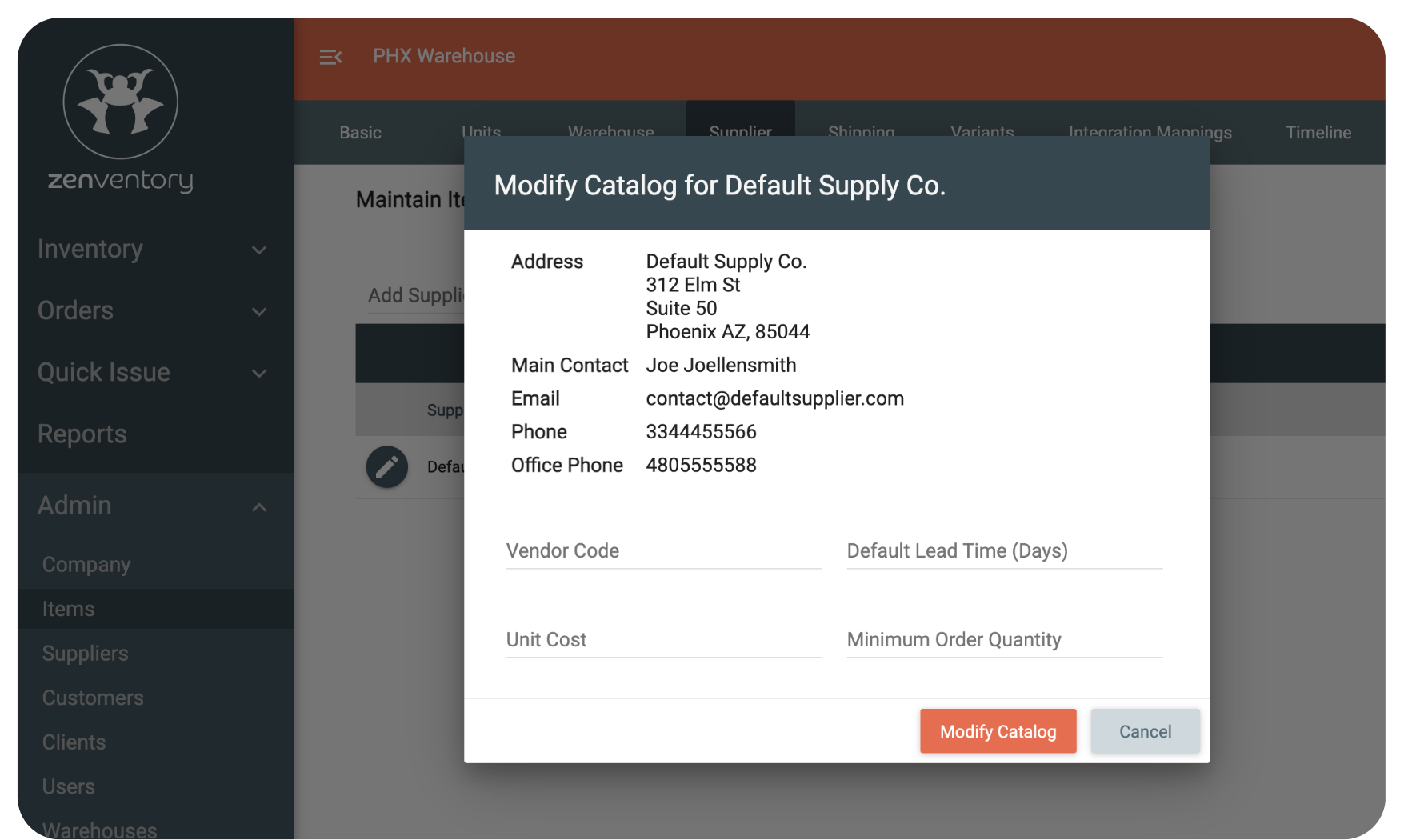
Streamline procurement, reduce errors, and save time on every purchase order. No more hunting for the right supplier information when it's time to reorder.Supplier catalogs make sure you have everything you need to reorder at your fingertips.
EFFORTLESSLY MANAGE SUPPLIER CATALOGS
How Zenventory helps 3PLs simplify purchasing
Centralized supplier catalogs
Create and manage supplier catalogsfor all your vendors. Link your inventory items (SKUs) to supplier specific information - complete with item codes, price breaks, lead times, and minimum order quantities.
When creating a purchase order, simply select the item, and Zenventory will automatically fill in the cost, vendor code, and more. Quickly compare suppliers to find the best price or fastest delivery.
Purchase approvals & workflows
Set approval rules for purchase orders to maintain control over spending. Whether it’s per user, per client, or per warehouse budget, you decide who approves what - and when.
Email & PDF order distribution
Once your purchase order is created, send it directly to your supplier as an email or downloadable PDF. Zenventory stores order history so you can easily reference what was ordered, when, and at what price.
Built for growing businesses
No matter how many vendors you have, Zenventory's supplier catalog tools grow with you. Add, edit, or remove suppliers and items as your business evolves.
Frequently Asked Questions (FAQs)
Why use supplier catalogs?
Supplier catalogs are super handy when multiple suppliers source the same item.
They make it easier to compare prices, availability, and quality all in one place.
What are the main benefits for using supplier catalogs?
Benefits that 3PLs and fulfillment partners can experience when using vendor/supplier catalogs include:
Faster purchasing cycles. Reduce PO creation time from hours to minutes.
Fewer procurement errors. Accurate SKU matching and pricing per supplier = fewer "oopsie daisies" when it comes to purchasing.
Cross-warehouse coordination. Order for multiple locations from one place.
Does Zenventory support reporting or export options for supplier catalogs?
Yes. Zenventory provides reporting features that allow you to export supplier item catalogs for individual suppliers or all suppliers in CSV format.
Reports can also include details like SKU, vendor code, unit cost, lead time, and minimum order quantity. Making it easy to analyze or share supplier catalog data.
Ready to simplify your purchasing across all clients & warehouses?


-1.png?width=50&height=50&name=Untitled%20design%20(24)-1.png)