
Zenventory: Multi-Channel Inventory Management for 3PLs
Inventory management software purpose-built for growing 3PLs and high-volume fulfillment operations that need real-time accuracy, automation, and visibility.
%20(1755%20x%201050%20px).png?width=748&height=508&name=Updated%20Zenventory%20Hero%20Graphic%203%20(600%20x%20500%20px)%20(1755%20x%201050%20px).png "Zenventory Dashboard")



.png?width=110&height=110&name=Integration%20Logos%20(2).png)


BUILT FOR REAL 3PL OPERATIONS
How Zenventory manages inventory
Zenventory was built for multi-client, multi-warehouse 3PL environments, where accuracy, traceability, and control matter at every step of the workflow.
Receiving & put-away
Zenventory separates receiving from put-away to ensure inventory is verified before it becomes available for fulfillment.
How it works:
- Inventory is received into a staged state upon arrival
- Items can be inspected, sorted, or verified before storage
- Put-away is completed through a guided workflow tied to warehouse locations
- Inventory only becomes available for allocation once confirmed
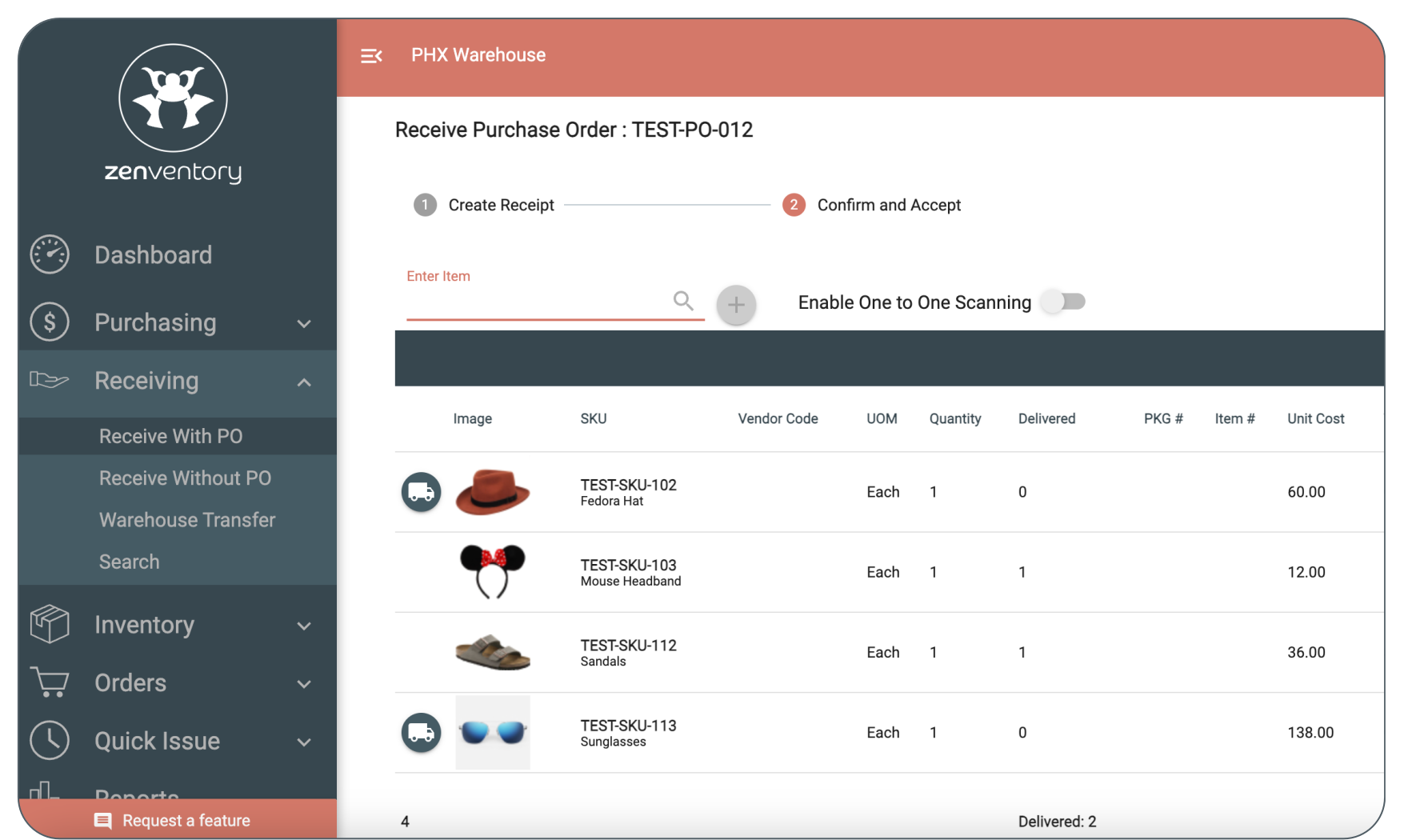
Why it matters: This prevents premature allocation, reduces receiving errors, and creates a clean audit trail from dock to shelf.
Location-based inventory (even down to the bin level)
Zenventory manages inventory using warehouse-specific location trees, not loose quantities.
Each warehouse can include:
- Custom aisles, racks, shelves, and bins
- Default receiving and put-away locations
- Location-level inventory visibility and reporting
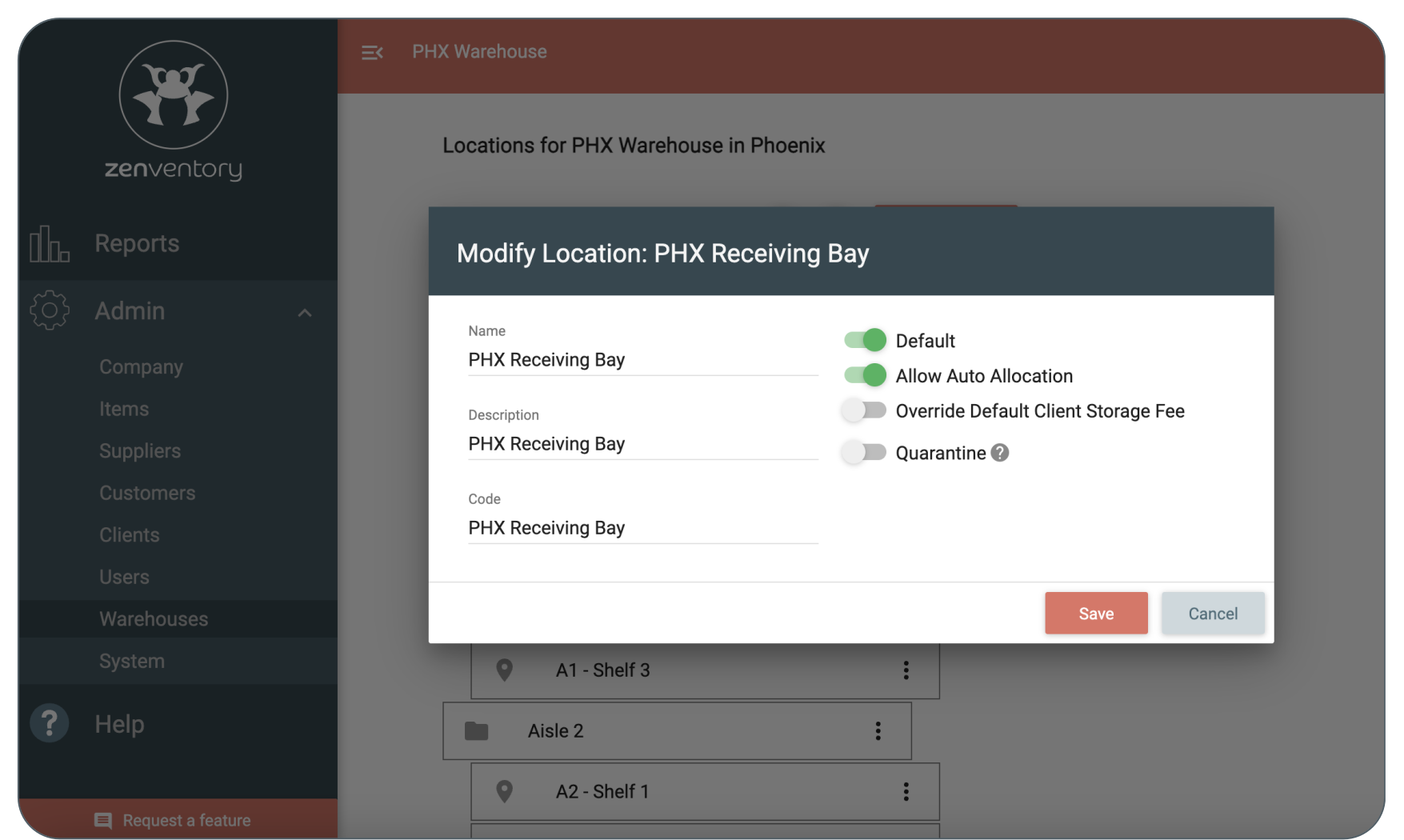
In addition, every unit of inventory is tied to a physical location, which directly drives allocation logic, pick paths, cycle counts, and fulfillment accuracy.
Advanced item tracking (lots, serial, expiration, kits)
Zenventory supports multiple inventory tracking methods within the same system:
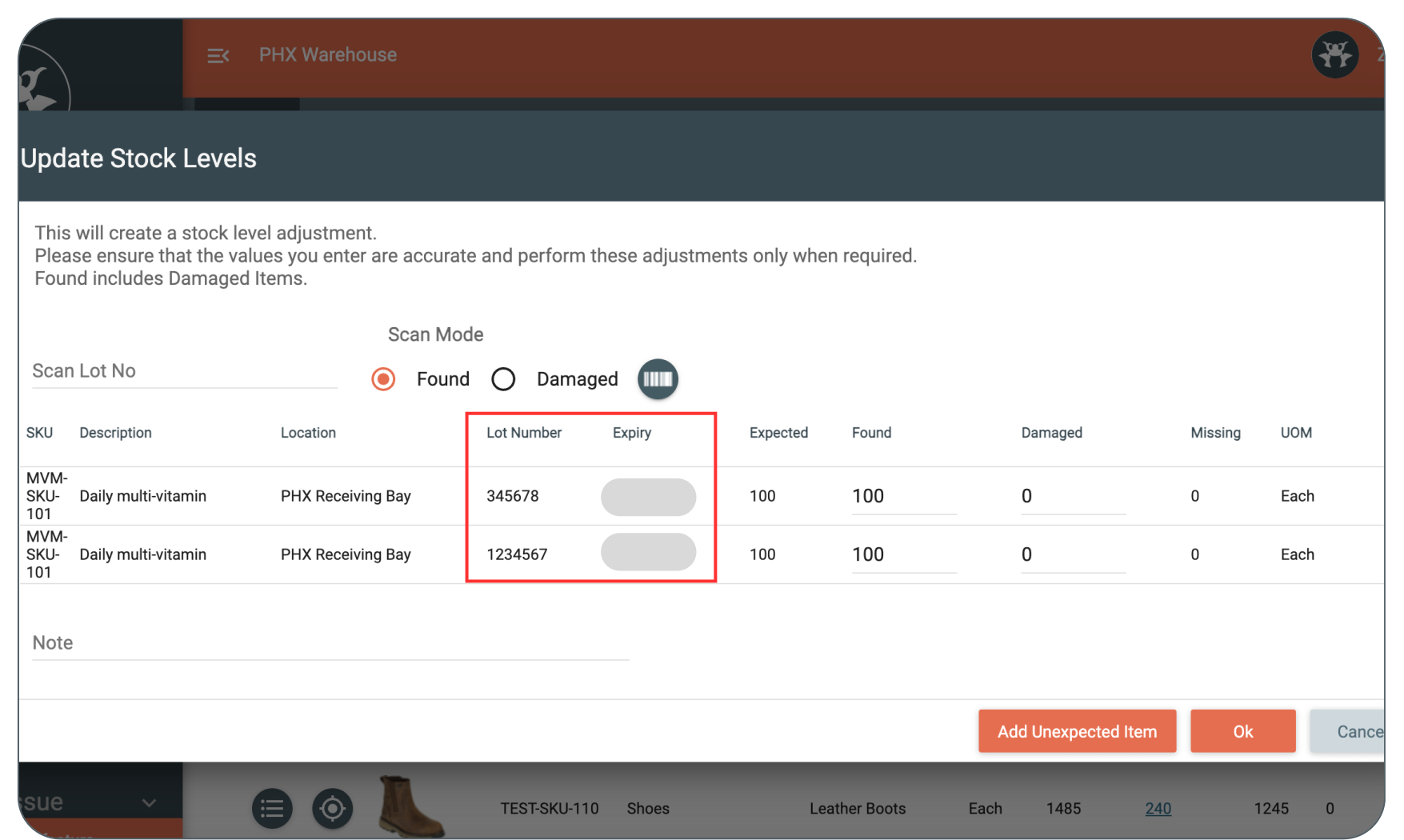
Why it matters: Inventory is allocated and picked based on these attributes, to make sure that FEFO/FIFO workflows are enforced, expired or invalid inventory cannot ship, and full traceability for recalls or audits.
Intelligent allocation & fulfillment controls
Inventory behavior in Zenventory is governed by configurable system logic, not manual workarounds.
Admins can define:
- Whether inventory is auto-allocated or manually allocated
- Allocation priority by lot, expiration date, or location
- Cross-warehouse allocation rules
- Automatic picking after allocation (where appropriate)
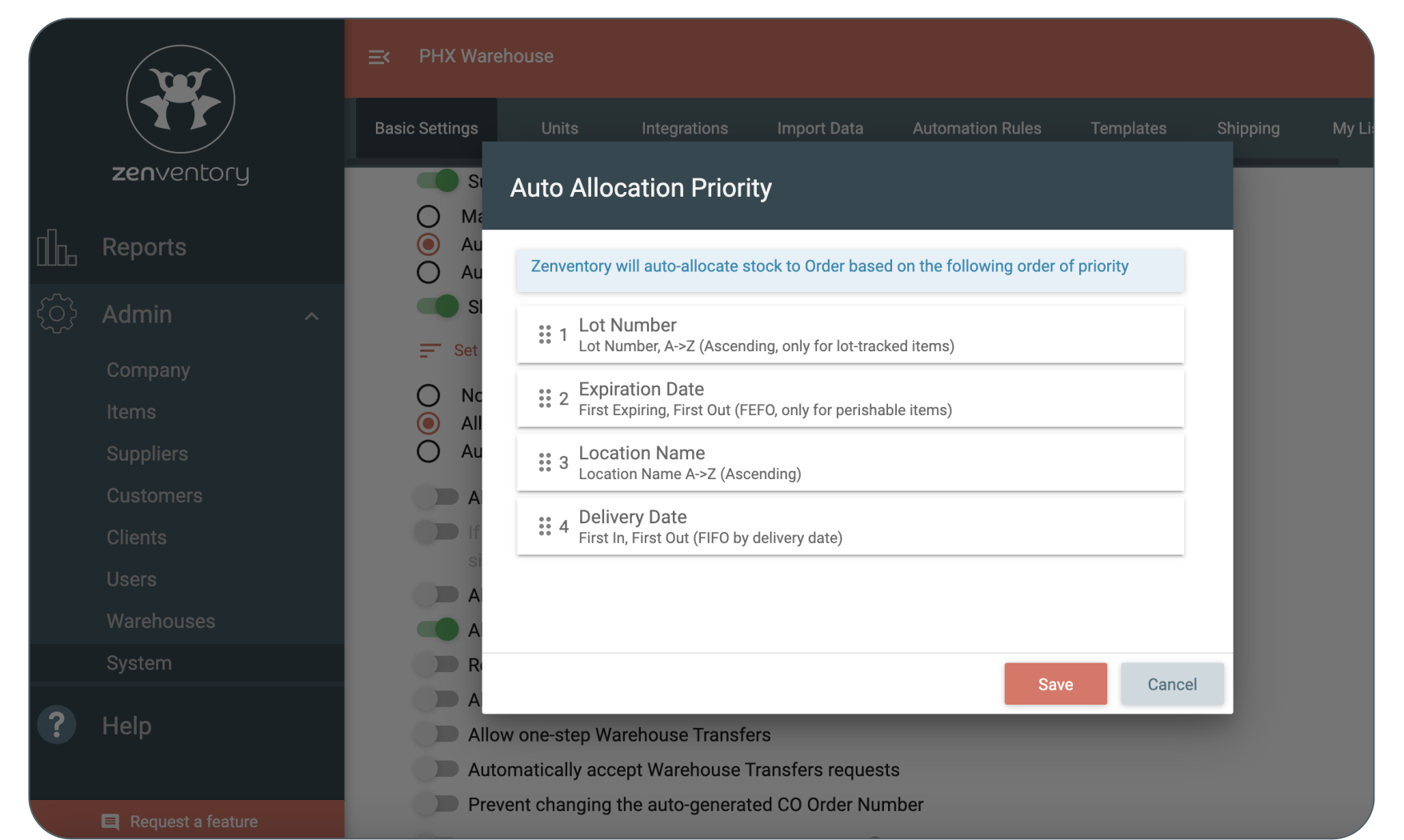
These controls allow 3PLs to balance automation with oversight, depending on client requirements and operational complexity.
Role-based inventory permissions
Inventory integrity depends on control.
Zenventory enforces role-based permissions that limit who can:
- Receive inventory
- Put items away
- Allocate or deallocate stock
- Adjust quantities
- Perform cycle counts
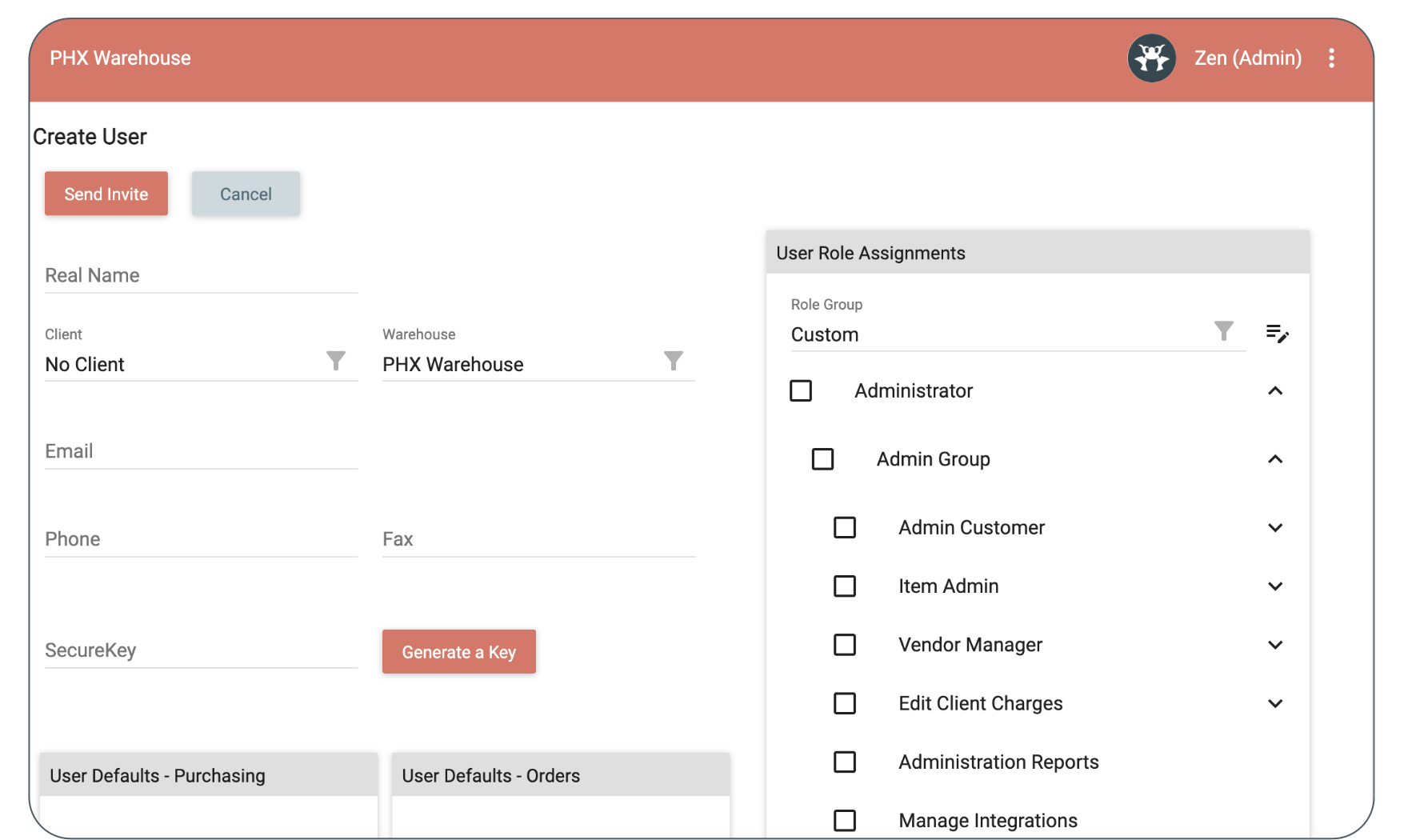
Why it matters: User permissions reduce risk, prevent accidental changes, and create accountability across warehouse teams.
Inventory that stays in sync with fulfillment & shipping
Inventory in Zenventory does not operate in isolation.
Because fulfillment and shipping are handled within the same platform:
- Inventory updates automatically when orders are picked and shipped
- Allocation reflects real-time stock availability
- No sync delays between systems
- Fewer reconciliation issues across tools
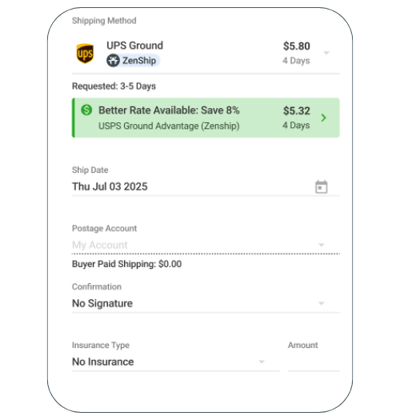
With ZenShip built directly into the platform, inventory accuracy improves while fulfillment speeds up. (ZenShip is included free with every Zenventory plan. Check out the ZenShip page to learn more.)
A PARTNER TO SUPPORT YOUR GROWTH (NOT HINDER IT)
Inventory management without the growth tax
Zenventory’s inventory architecture supports growth without re-platforming by providing unlimited warehouses, unlimited clients, unlimited users, no contracts, and no per-seat fees.
.svg)
“Zenventory has been instrumental in our mission
to provide the most modern tools to our customers.”
– Complete Fulfillment & Distribution, 3PL
Frequently Asked Questions (FAQs)
What makes Zenventory different from traditional inventory management software?
Most inventory management software is designed for single businesses with simple workflows. Zenventory was built specifically for multi-client, multi-warehouse 3PL environments.
This means that Zenventory supports:
-
Client-segmented inventory records
-
Warehouse-specific location trees
-
Advanced item tracking (lots, serials, expiration dates, kits)
-
Role-based permissions for warehouse teams
-
Inventory logic that integrates directly with fulfillment and shipping
Instead of stitching together multiple tools, Zenventory manages inventory, fulfillment, and shipping within a single system.
How does Zenventory ensure inventory accuracy?
Zenventory makes sure everything's correct by using system-driven processes instead of manual checks.
Here's how it works:
-
Step-by-step receiving and controlled storage
-
Tracking inventory at each location
-
Picking and counting stock with barcode help
-
Automation rules that stop overselling
-
Controls that limit who can change inventory numbers
-
Stock becomes available after it's been received, stored, and checked — cutting down on mistakes before they happen.
Can Zenventory handle lot numbers and expiration dates?
Yes. Zenventory supports lot tracking and expiration date tracking as native item attributes.
This allows 3PLs to:
-
Allocate inventory using FIFO or FEFO logic
-
Prevent expired inventory from being shipped
-
Maintain full traceability for recalls or audits
-
Report on inventory by lot or expiration date
These controls are enforced during allocation and fulfillment, not handled manually.
How does Zenventory manage inventory across multiple warehouses?
Zenventory applies warehouse-specific location trees to handle inventory at a detailed level.
This means each warehouse can have:
- Its own physical layout (aisles, racks, bins)
- Set spots for receiving and storing items
- Separate inventory counts and reports
The system can also assign orders from one warehouse or across several, based on rules.
This gives you flexibility without losing track of your stock.
Does Zenventory support cycle counting?
Yes. Zenventory includes built-in cycle counting tools that allow teams to audit inventory without pausing fulfillment.
Cycle counts support:
-
Barcode scanning
-
Separate tracking for found and damaged inventory
-
Automated reconciliation against system quantities
This enables ongoing accuracy checks instead of relying on infrequent physical counts.
How does inventory stay in sync with fulfillment and shipping?
Because Zenventory includes fulfillment and shipping within the same platform, inventory updates occur automatically as orders move through the workflow.
For example, when an order is:
Allocated → inventory is reserved
Picked → inventory is confirmed
Shipped → inventory is deducted
There’s no syncing between systems, no delays, and no mismatched data.
ZenShip, Zenventory’s built-in shipping engine, is included free with every plan.
Can Zenventory restrict who can access or change inventory?
Yes. Zenventory uses role-based permissions to control inventory actions.
Permissions determine who can:
-
Receive inventory
-
Put items away
-
Allocate or deallocate stock
-
Adjust quantities
-
Perform cycle counts
This protects inventory integrity and creates accountability across warehouse teams.
Is Zenventory suitable for growing 3PLs?
100%. Zenventory was designed to scale alongside growing 3PL operations.
The platform includes:
-
Unlimited users
-
Unlimited SKUs
-
Unlimited support from real humans
-
No contracts or per-seat fees
This allows 3PLs to grow without re-platforming or paying penalties for success.
How long does it take to get started with Zenventory?
Most teams can begin using Zenventory quickly thanks to:
-
Guided configuration for warehouses and locations
-
Structured inventory workflows
-
Support from a real implementation team
Zenventory is designed to be powerful without being overwhelming so teams can go live without months of onboarding.