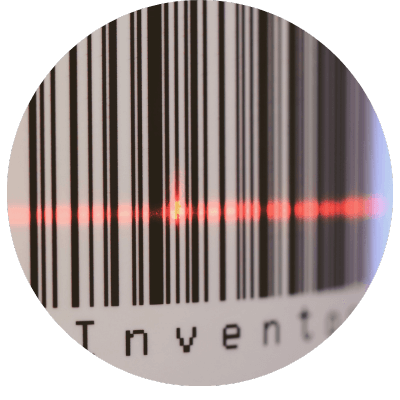
BARCODE ACCURACY BUILT FOR 3PLs
Achieve accurate and reliable barcode scanning
Work smarter. Not harder.
Zenventory’s barcode scanning tools make inventory management easy, from receiving and picking to cycle counts. Enjoy strong barcode scanning support for items, UPCs, warehouse locations, orders, POs, and more.
Instant inventory updates
Track stock levels in real time as items move in and out. Stay ahead with up-to-date data that powers better purchasing and stocking decisions.
Precision you can count on
Eliminate costly manual errors. Barcode scanning ensures pinpoint accuracy so you can reduce waste, prevent stockouts, and boost customer satisfaction.
Compatible with the tools you use
Whether you're using USB or Bluetooth scanners, or Android-based commercial devices, Zenventory integrates seamlessly with the tools you use.
Free companion app
Our free mobile app turns any smartphone or tablet into a powerful barcode scanner using its built-in camera.
Boost your team’s efficiency
Save hours on inventory checks. With streamlined scanning, your team can get more done, faster, so you can focus on what really matters.
MODERN BARCODE TOOLS FOR MODERN 3PL OPS
How 3PLs use Zenventory barcoding to work smarter (not harder)
- Faster receiving. Log incoming inventory instantly with accurate client info, batch data, use-by dates, and warehouse storage locations.
- Accurate, high-speed picking. Barcode-verified picking ensures the right items go out every time - cutting errors, returns, and unnecessary rework.
- Seamless inventory movements. Transfers, stock adjustments, and replenishment tasks are updated instantly when a barcode is scanned.
- Simple multi-client inventory management. One centralized, easy-to-use system to scan, track, and sort inventory for each client you work with.
Frequently Asked Questions (FAQs)
Does Zenventory support scanning UPCs?
Yep! You can scan UPCs, SKUs, or any identifier you assign to the item.
What about QR codes?
Yes, we support printing & scanning of QR codes, CODE39, CODE128, and most other popular symbologies.
My case packs have a different barcode than my "Eaches", do you support this?
Yes. You can assign different barcodes to different UOMs in Zenventory and the system will know which one you mean when you scan it + how many quantity are in there.
What technology is needed to use Zenventory’s barcode scanning tools?
No matter your setup, barcode scanning is a breeze with Zenventory.
Here’s what you can use to scan barcodes with Zenventory:
USB or Bluetooth barcode scanners
Use standard USB or Bluetooth scanners connected to your PC or workstation for quick and reliable scanning.
Commercial scanning devices
Ideal for high-volume or tough environments. Android-based scanners with built-in 1D/2D imagers offer fast, rugged performance that keeps up with your workflow.
Mobile devices
No scanner? No problem. Our free mobile app (available for Android and iOS) turns any smartphone or tablet into a barcode scanner using the built-in camera.
Visit our Equipment page to learn about our barcode technology recommendations.