
Trusted by over 1,200+ companies


.png?width=100&height=100&name=Customer%20Logos%20(1).png)
.png?width=100&height=100&name=Pakmo%20logo%20(1).png)

ONE SYSTEM TO RULE THEM ALL
Four types of rules. One system.
Conditional rule aka the logic engine
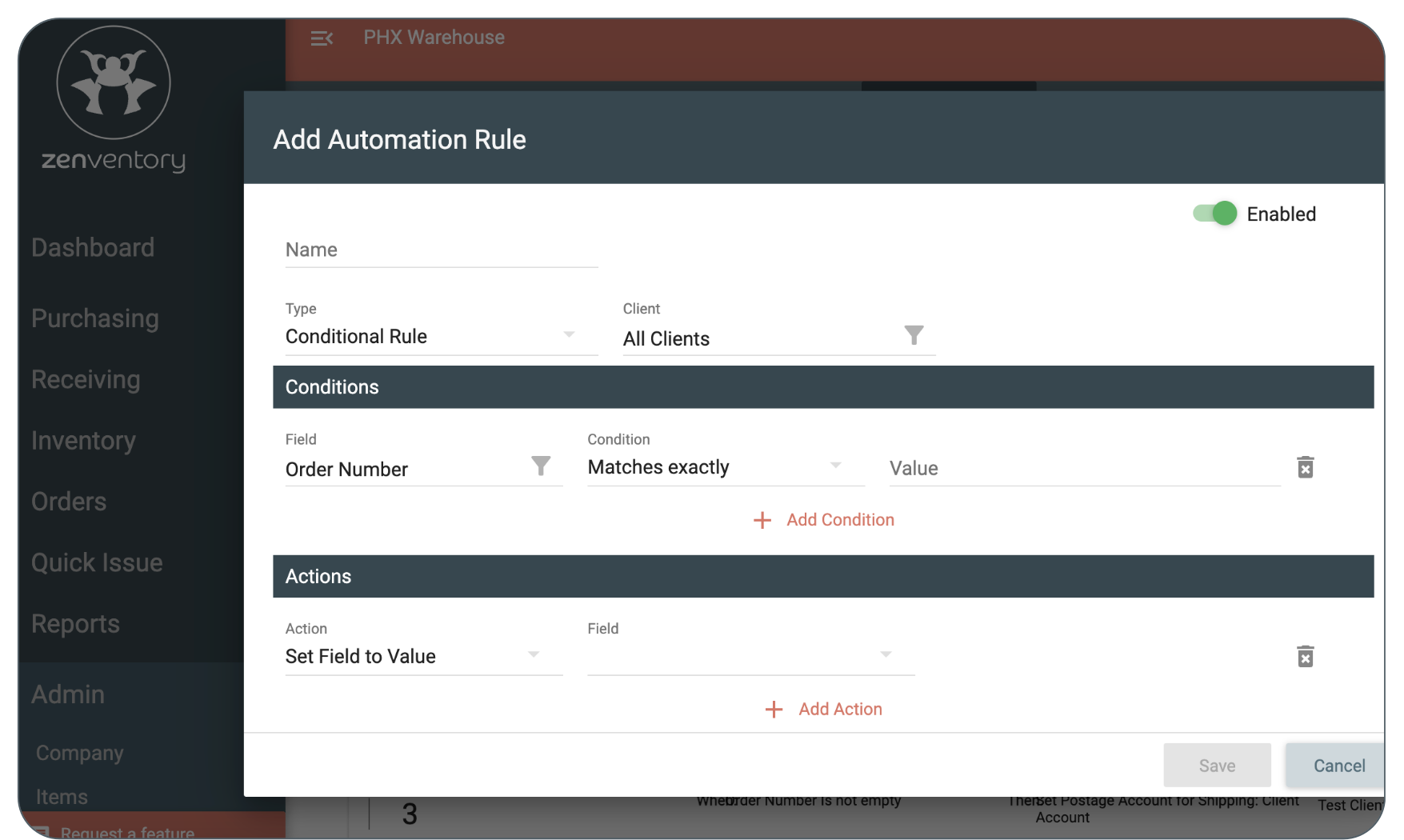
Define your conditions, select your action, and let Zenventory handle the rest. This is where you build the rules that run your operation.
Skip customer
order item
Remove a SKU automatically when specific conditions are met. Useful for filtering ineligible products, test items, or client-specific exclusions before the order ever reaches your fulfillment queue.
Alter customer matching
Adjust how orders are matched to customers when address or account data comes in inconsistently from the integration source. Catch mismatches before they create fulfillment problems.
Substitute a
field value
Replace a field value based on conditions. Swap a ship-via method, override a note, or correct an order reference automatically so your team works with clean data from the start.
ORDER AUTOMATION
Set the rules once. Every order follows them.
Zenventory's order automation rules trigger the moment a customer order is created. You define the conditions. You set the actions. Every order that matches gets handled exactly the way you want, every time. No workarounds. No second-guessing. No hoping your team remembers.
Built per client, because your clients are not the same.
One of the most common ways 3PLs lose money and make mistakes is applying the same logic to every client. Zenventory's automation rules are set per client. Client A’s rules run for Client A. They do not touch Client B.
GAIN CONTROL OVER YOUR WORKFLOW
40+ order conditions. 15+ actions. One rule trigger.
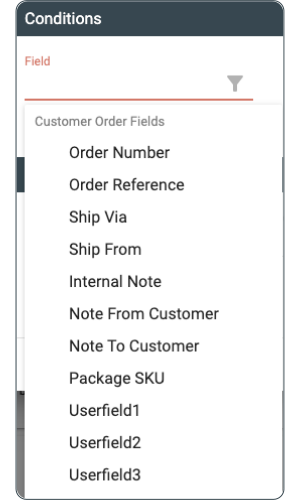
With 40+ order conditions, Zenventory gives you precise control over your fulfillment workflow.
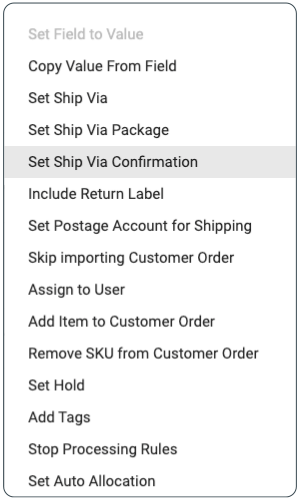
When your conditions are met, Zenventory automatically executes any of the following:
- Copy value from field
- Set ship via / set ship via package / set ship via confirmation
- Set postage account for shipping
- Skip importing customer order
- Assign to user
- Add item to customer order / remove SKU from customer order
- Set hold
- Add tags
- Stop processing rules
- Set auto allocation / set auto picking
- Apply miscellaneous client charge
- And more!
WORK SMARTER (NOT HARDER)
3PL automation examples:
- Client-specific shipping methods: Automatically expedite orders over 10 lbs for Client B, while keeping Client A's orders strictly on ground. Custom rules ensure zero crossover and zero manual sorting.
- Automatic international holds: Instantly place a hold on any order shipping outside the US to ensure it gets a proper review. Every international shipment safely parks itself for inspection without your team ever having to manually catch it.
- Automated billing capture: Automatically apply a custom surcharge to orders containing more than 20 units. Your billable charges fire on their own, ensuring you never miss out on revenue due to manual tracking or oversight.
- Proactive SKU removal: Automatically strip discontinued or restricted SKUs from customer orders the moment they import. Problem items are removed before they ever hit the warehouse floor, preventing picking errors before they happen.
“Zenventory has been instrumental in our mission
to provide the most modern tools to our customers.”
– Complete Fulfillment & Distribution, 3PL
Frequently Asked Questions (FAQs)
Can rules be set differently for each client?
Yes. Rules are configured per client, so each account operates under its own rule set without affecting others.
How many conditions can one rule have?
You can stack multiple conditions on a single rule to build precise logic for complex scenarios.
Can multiple rules run on the same order?
Yes. Rules run in sequence. You can also use the "Stop Processing Rules" action to halt evaluation after a specific rule fires.